

Sign up here on the web or scan the QR from your TV — both routes get you in.
One IPTV. Every screen.
Your IPTV on TV, phone, tablet and computer.
Add your M3U or Xtream source once and ZyvoCast keeps live TV, guide, favorites and profiles synced across every device — Samsung TV, Android TV, mobile, tablet, web. LG TV coming soon.
- TVSamsung · Android TV · LG soon
- MobileiOS · Android · Tablet
- WebWeb on any browser
How it works
Start on any screen. Continue on any screen.
Add your IPTV source (M3U or Xtream) once. Channels, guide and metadata are ready.
Open ZyvoCast on TV, phone, tablet or computer — same library, same favorites, synced.
Every screen
Every device you already own.
ZyvoCast runs natively on Samsung TV and Android TV today, with LG TV (webOS) coming next. The mobile and web apps cover phone, tablet and any browser, with the same shared library.
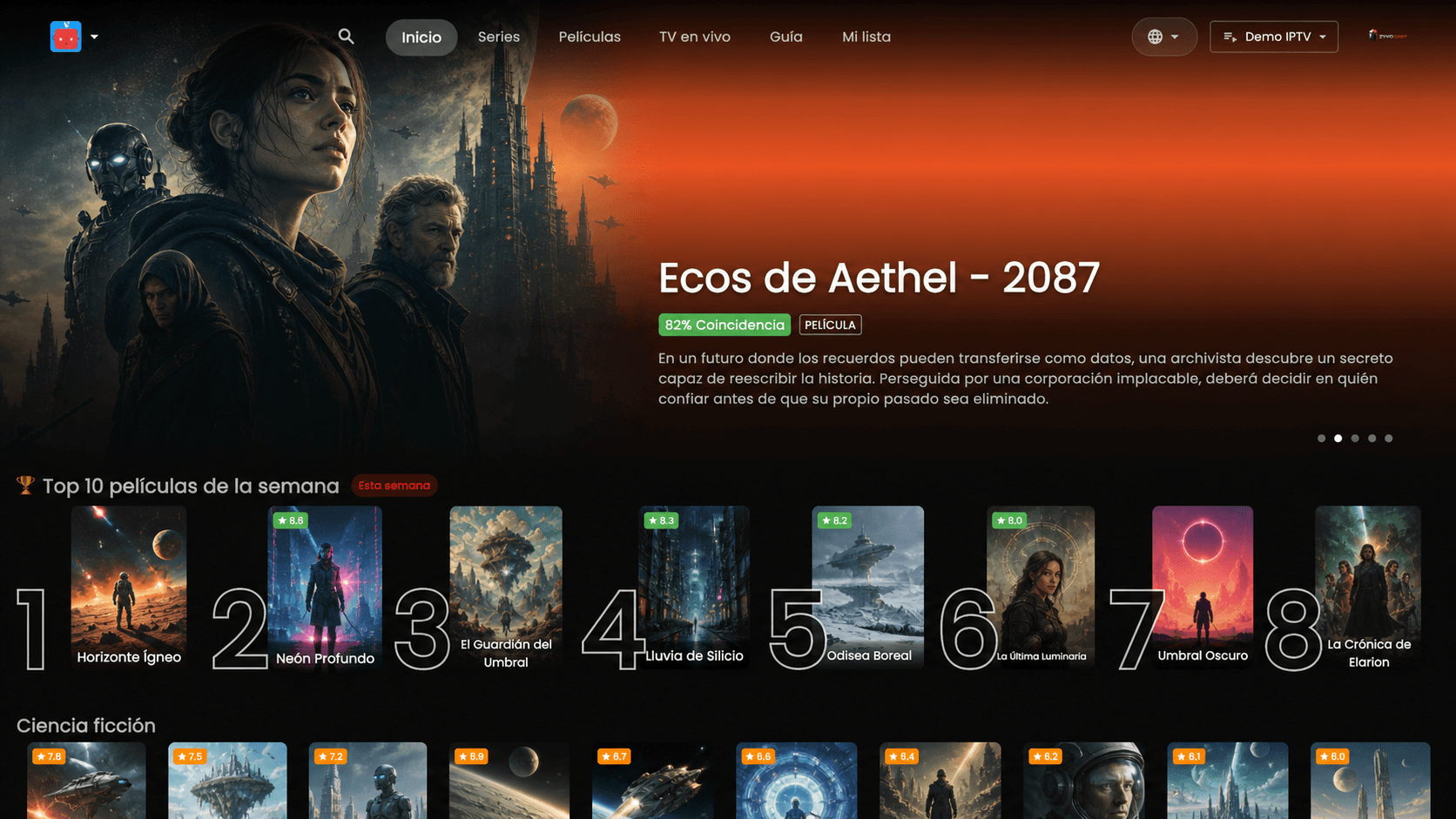
Samsung TV
Native Tizen app. Premium playback with remote-friendly UI.
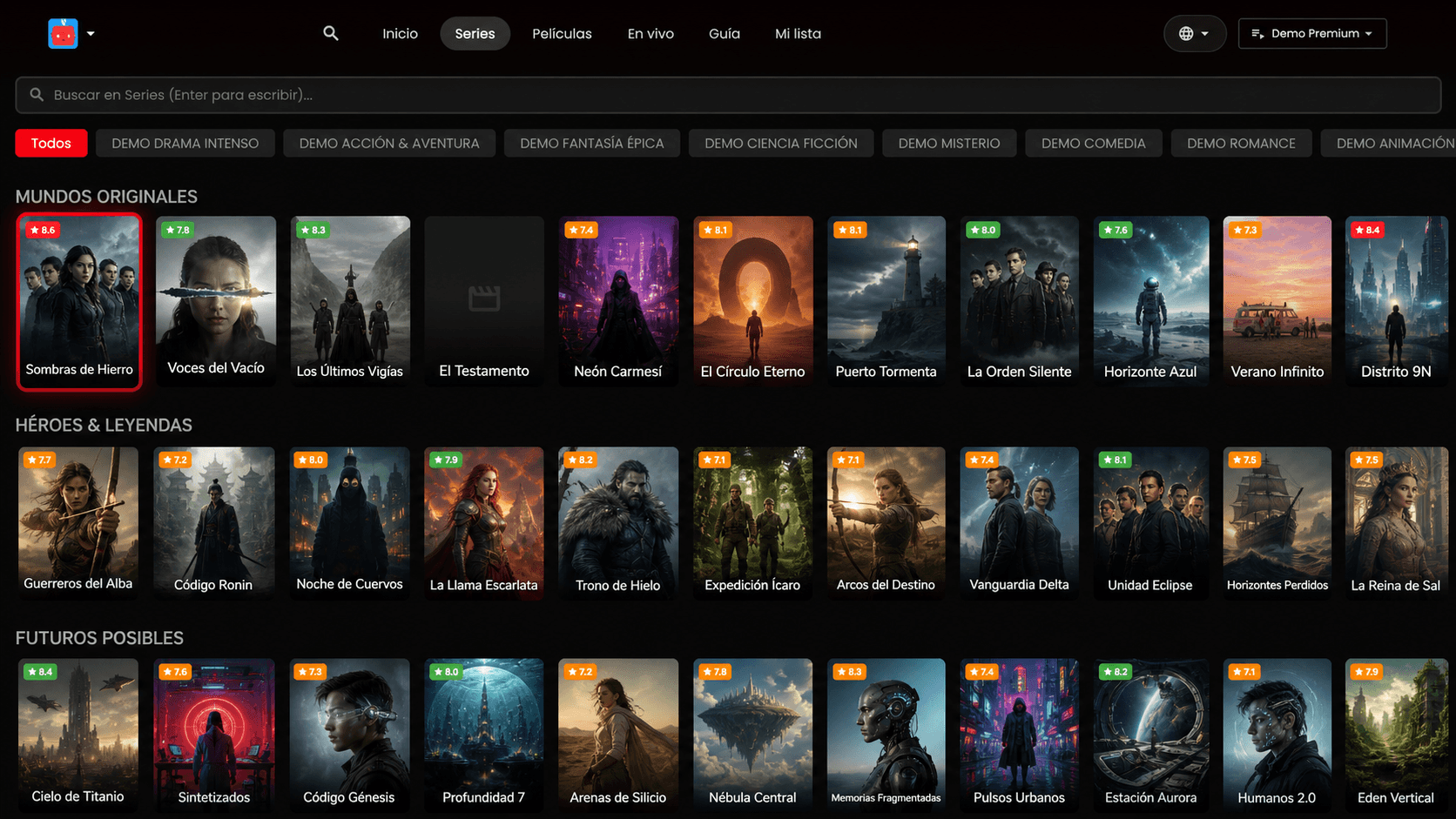
Android TV
Lean-back IPTV for the living room. Google TV compatible.
LG TV
LG TV
webOS app currently in development. Targeting next release.
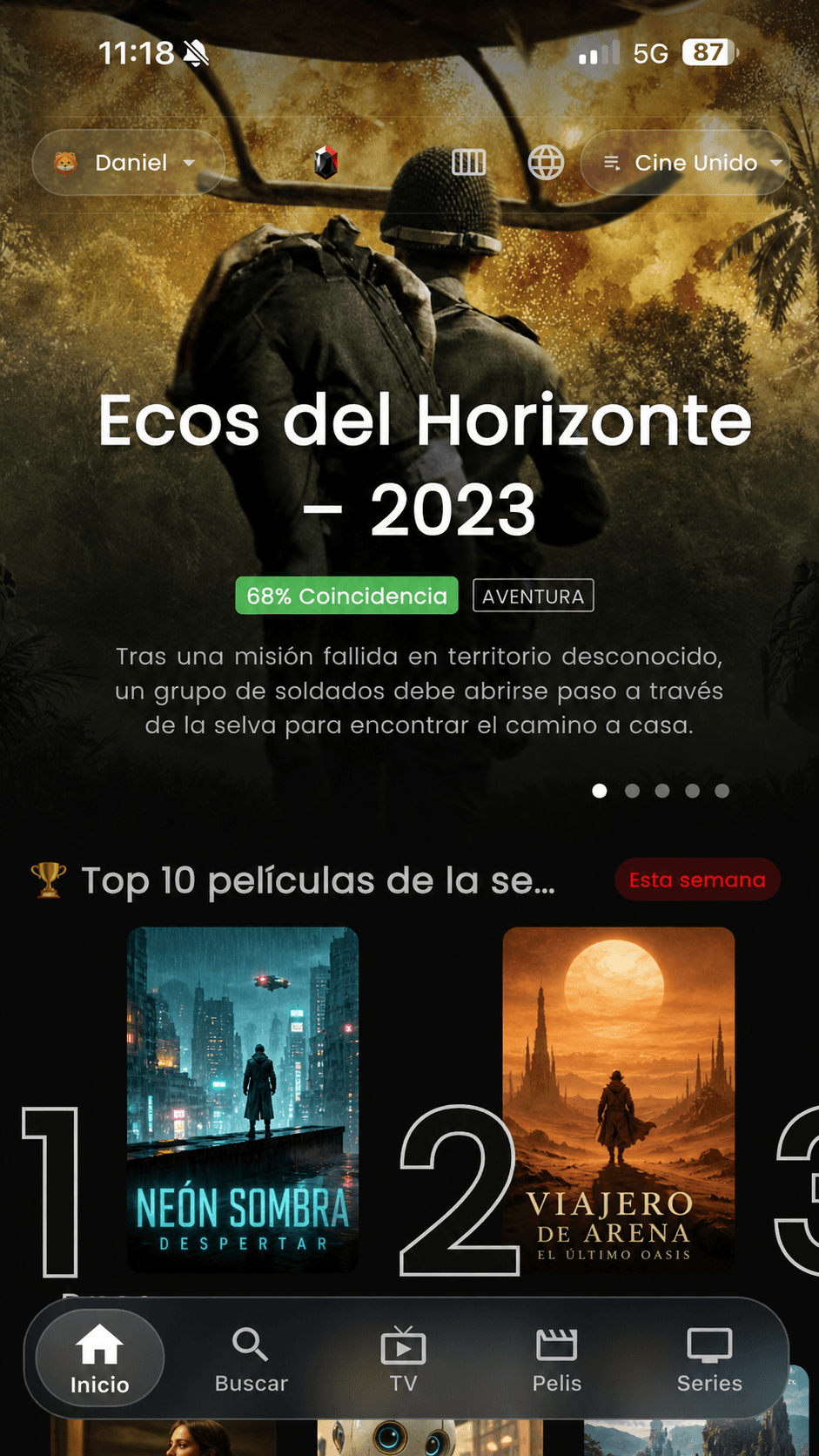
Mobile & tablet
iOS and Android apps. Phone in the pocket, tablet on the couch.
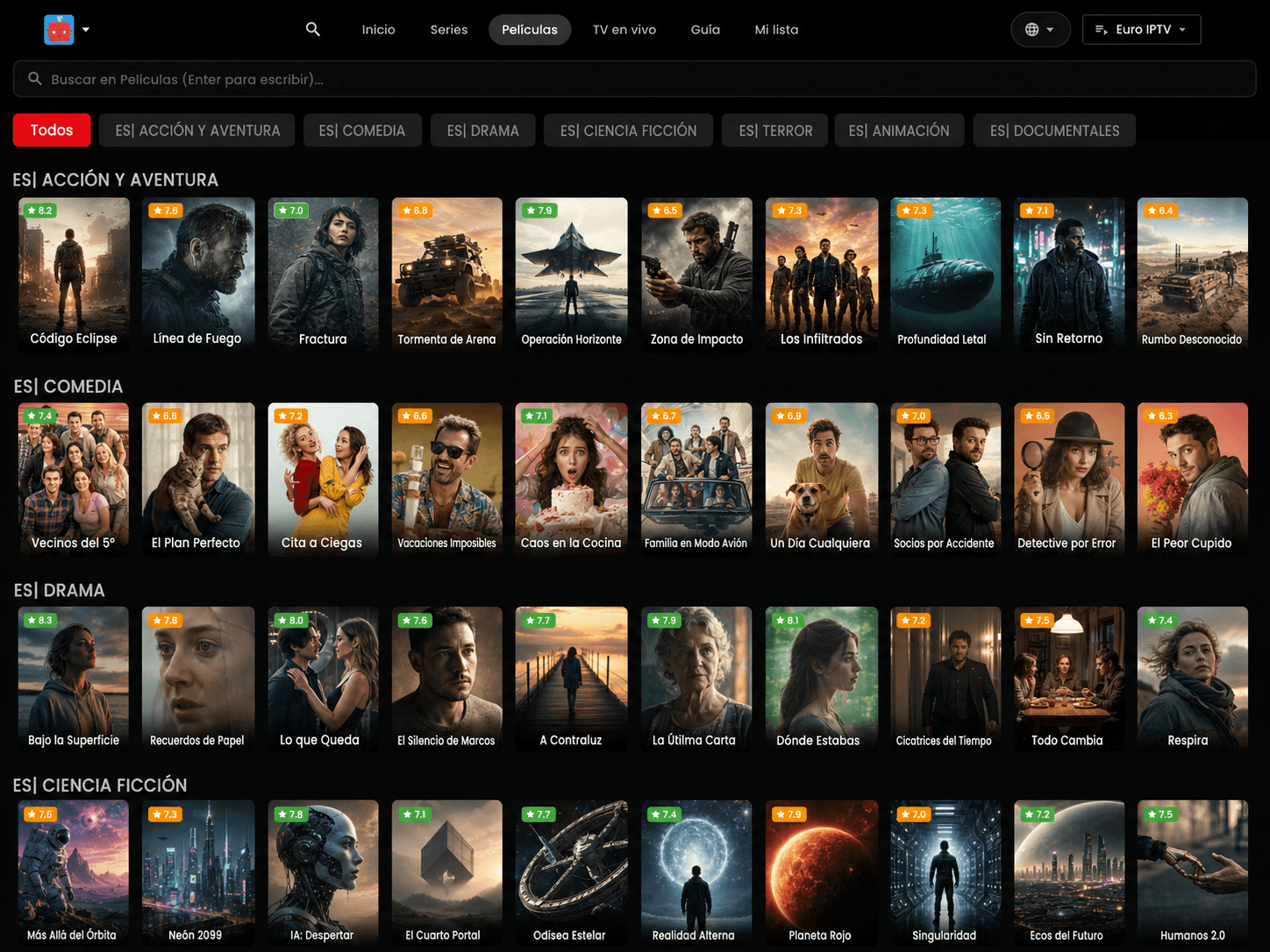
Web
Any modern browser on desktop or laptop. No install.
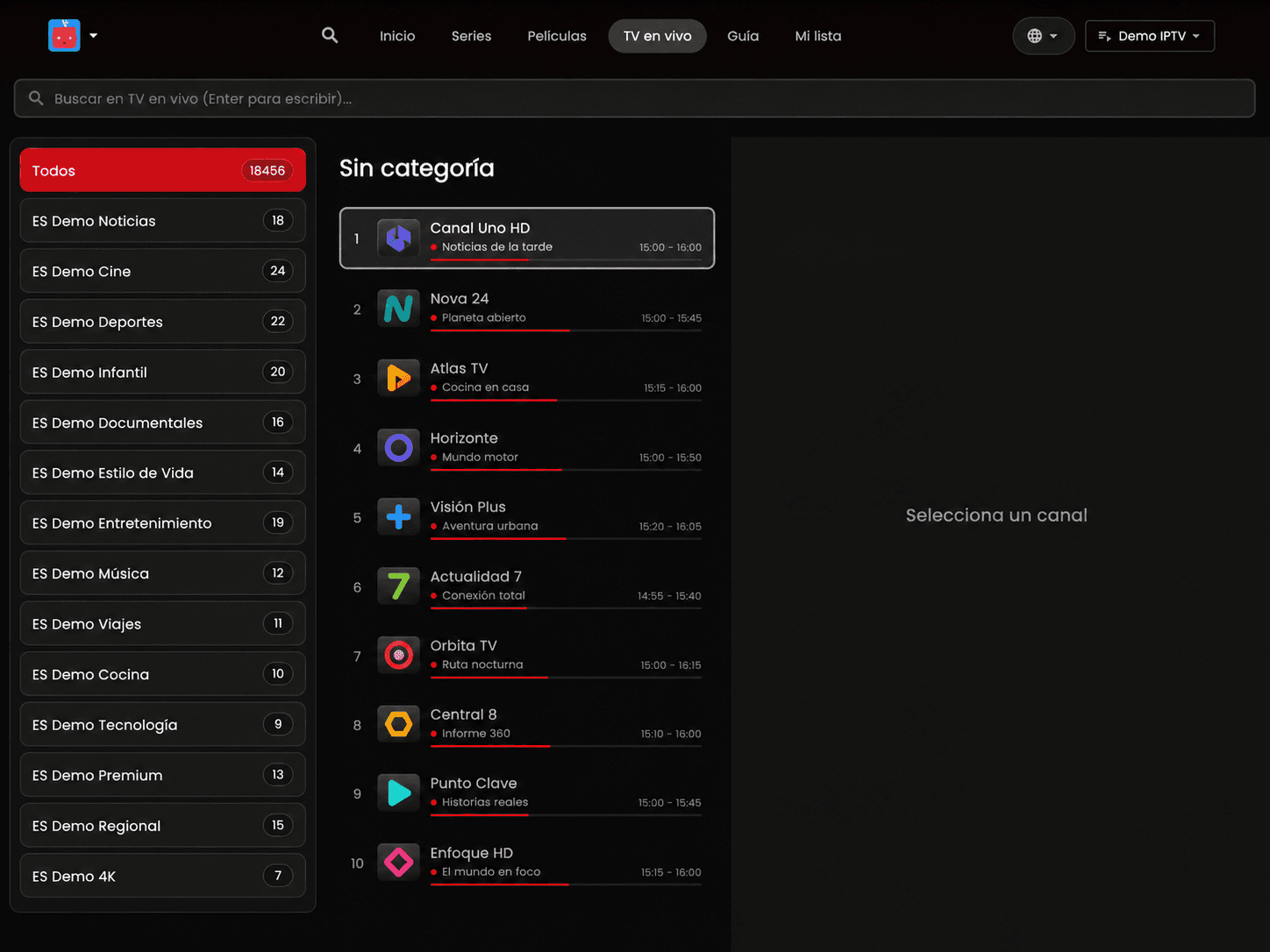
Live TV
Channels organized the way you actually browse.
Categories, favorites, EPG context and a TV-first interface that works with a remote — and stays clean on web too.
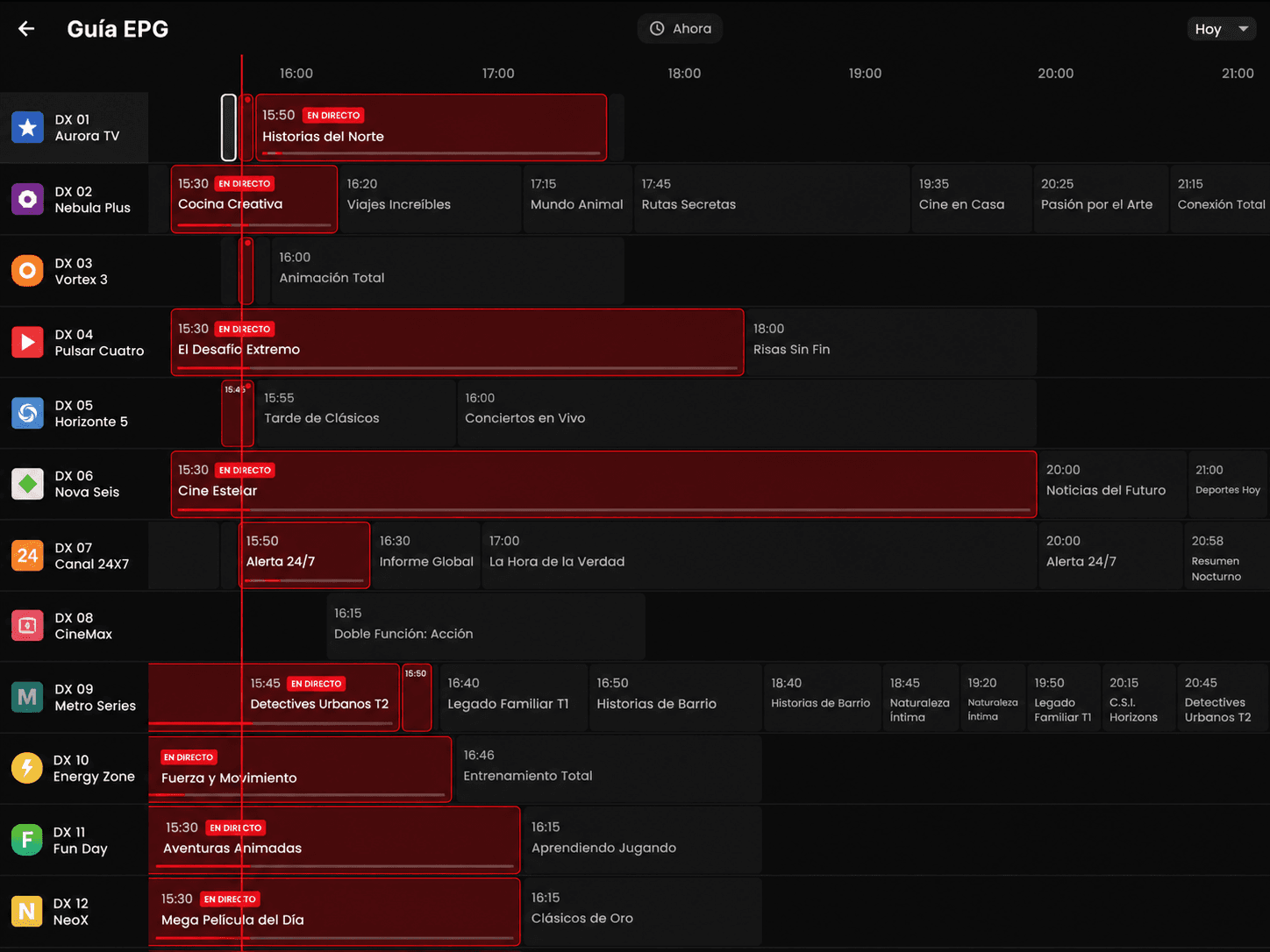
Integrated EPG
Full programming guide, not just a channel list.
ZyvoCast reads your IPTV source's EPG and lays out a real time-grid so you stop guessing what's on. Now and Next, full day, jump-to-now.
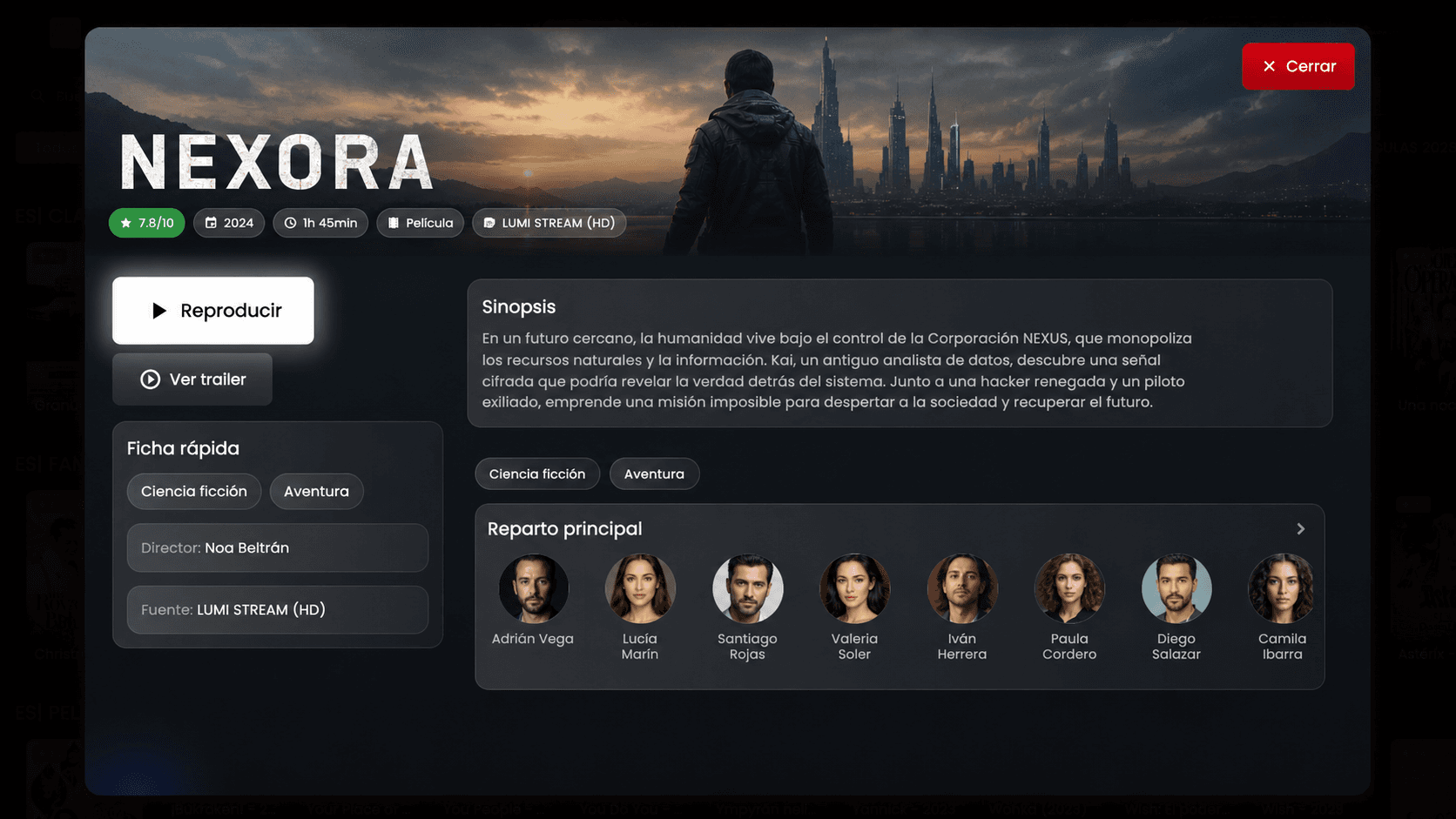
Rich metadata
Posters, synopsis, cast and rating — already there.
ZyvoCast enriches every title with TMDB-grade metadata so movies and series look like a real catalog, not a flat list.
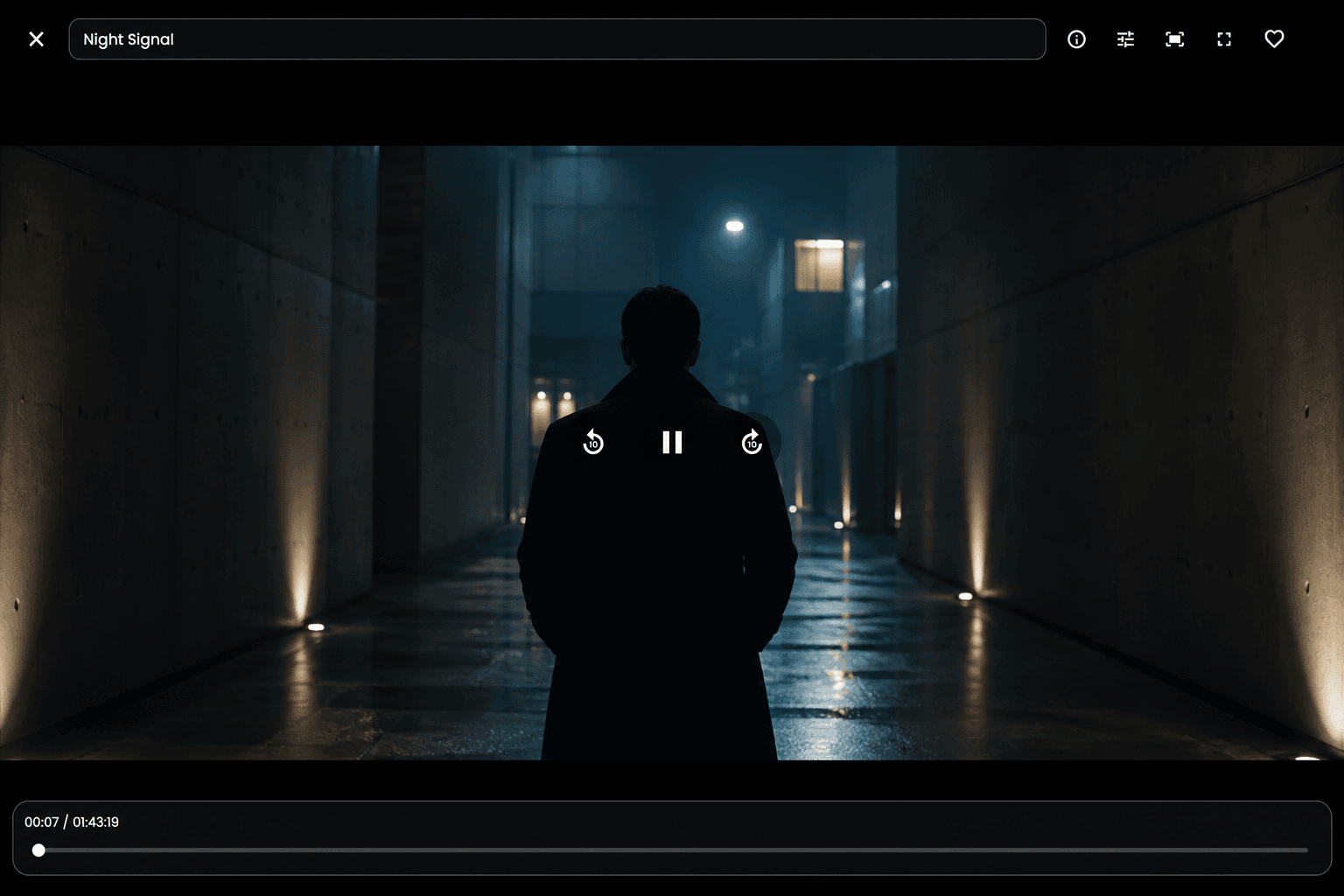
The player
Minimal player. Same on every screen.
The same clean playback experience whether you're on a 65-inch TV or a phone in bed. Controls fade out, the picture stays.
Pick up where you left off
Start on the phone. Finish on the TV.
Mark a series as favorite from your phone during lunch. It's already there on the TV at night. Same profiles, same continue-watching, same lists. No re-setup.
Designed around how people actually watch IPTV.
The app keeps playback fast on the big screen while the web and mobile app handle setup, playlists, profiles and account recovery.
Live TV with guide
Browse channels with EPG context, favorites and a TV-first interface built for remote controls.
M3U and Xtream
Add your own IPTV source once and keep it available for the screens included in your plan.
Profiles and favorites
Separate tastes at home without making every device repeat the same setup work.
QR activation
Start on the TV, finish on the phone and return to the app with the right account already linked.
Common questions
Everything we get asked before activating.
Which devices does ZyvoCast run on?
Samsung TV (Tizen) and Android TV / Google TV today. iOS and Android apps for phone and tablet. Any modern browser on desktop or laptop. LG TV (webOS) is coming next.
Is ZyvoCast itself an IPTV provider?
No. ZyvoCast is the player, guide and control layer. You bring your own M3U or Xtream source and we keep it ready across screens.
Does it work with my current IPTV provider?
If your provider gives you an M3U URL or Xtream credentials, it works. The same source can power TV, mobile and web from a single household.
Do I need a TV to start?
No. You can sign up here on the web, add your IPTV source from the dashboard, and watch on phone, tablet or web from minute one. The TV apps connect to the same account whenever you install them.
How does the QR activation work?
If you start from a TV, ZyvoCast shows a QR. Scan it with your phone, finish on this site, and the TV picks up the linked household as soon as the web flow ends.
How many devices can I link per plan?
ZyvoCast TV covers one linked TV with premium playback (mobile and web management included). ZyvoCast Home covers up to 3 TVs and 6 devices total under the same shared playlists, guide and profiles.
What happens if I cancel?
Playback stops at the end of the paid period. Your household, playlists and profiles stay so reactivating later picks up where you left off.
ZyvoCast is the player and control layer. You bring your own IPTV source.
Ready to put ZyvoCast on your main screen?
Start with one TV or unlock the whole home. The same setup can grow with your devices.
- Secure payments powered by Stripe
- Magic link sign-in
- Bring your own IPTV provider
Simple plans
Choose one TV or the whole home.
Start with the living-room screen or sync premium playback across more devices. Your IPTV provider stays yours; ZyvoCast gives you the player, guide and control layer.
For one TV
ZyvoCast TV
2.99 €/ month
Premium IPTV playback for one linked TV. Mobile and web help manage playlists, profiles and billing for that home.
- 1 linked TV with premium playback
- M3U or Xtream source management
- Best for the main living-room screen
- Mobile and web management included
Best annual price
ZyvoCast Home yearly
39.99 €/ year
The same whole-home coverage with a lower annual cost and fewer renewals.
- Same Home coverage with fewer renewals
- Best value if ZyvoCast is your main player
- Premium continuity across TV, mobile and desktop
Compare what each plan unlocks.
TV is right when you only need the big screen. Home is the upgrade when the same IPTV setup should follow the whole household.
| Feature | ZyvoCast TV | ZyvoCast Home monthly | ZyvoCast Home yearly |
|---|---|---|---|
| Best for | One main TV | Multi-device homes | Annual households |
| Premium TVs | 1 | Up to 3 | Up to 3 |
| Household devices | Companion management | Up to 6 | Up to 6 |
| Shared playlists | Included | Included | Included |
| Renewal | Monthly | Monthly | Yearly |
Start with the screen you use most.
If you are in front of the TV, activation is the fastest path. If you are comparing first, checkout keeps the device context ready.
- Secure Stripe checkout
- Bring your own IPTV source
- Activation continues after checkout